
9 Prompt Libraries for the Content Creators & Publishers: The Creators’ Toolkit

Disclaimer: Some links in this site are affiliate links. As an Amazon Associate, we earn from qualifying purchases.
Table of Contents
Introduction: Shortcut to Mastering Creative AI with the Prompt Libraries for the Content Creators
The gap between having a creative vision and executing it with AI tools is filled with one thing: the perfect prompt. But you don’t have to be a “prompt engineer” to get professional results. You just need to know where to find the blueprints.
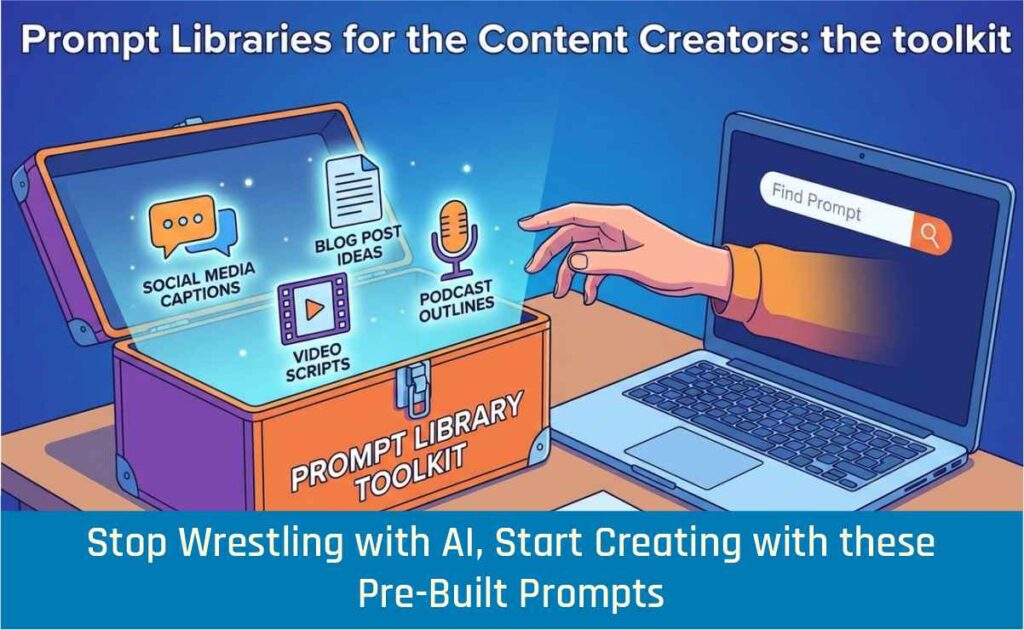
For content creators, graphic designers, audio-visual editors, and 3D artists, prompt libraries are the ultimate shortcut. They are collections of pre-written, tested instructions that tell AI tools—like Midjourney, ChatGPT, or Google’s Gemini—exactly what you need. Think of them as plugin presets for your imagination.
Whether you’re compositing in After Effects, texturing in Blender, color grading in DaVinci Resolve, or generating concept art for Houdini simulations, these libraries translate your creative intent into the precise language AI understands. Best of all, you don’t need to write a single line of code.
Below, we explore nine powerful prompt libraries for the content creators, tailored to the specific needs of visual and audio-visual creators.
These are some of the most popular prompt libraries for the content creators.
Certainly, these entries are no exhaustive. Just in case, you’re interested, keep a close watch to this blog, as it will get updates.
1. Google AI Studio (Prompts for Gemini)
URL: https://aistudio.google.com/app/prompts
What It Is
Google’s official platform for experimenting with their Gemini models. It’s less a “library” of finished prompts and more a playground and template starter for building and testing your own.
For Creators
- Audiovisual Pre-Production: Use the “Brainstorm creative ideas” template to generate concepts for music videos or short films. Prompt: “Act as a music video director. Generate 3 concepts for an electronic track about urban isolation, including visual motifs, color palettes, and potential locations.”
- 3D Scene Development: Use structured prompts to generate detailed descriptions for 3D assets. Example: “Describe a photorealistic, game-ready modular kit for a cyberpunk alley. Include specifications for diffuse, normal, and roughness maps, and suggest a trim sheet texture approach.”
- Post-Production Workflows: Generate complex Adobe After Effects expressions by describing the effect in plain English. The prompt library’s structure helps you break down the request logically.
One of the most popular prompt libraries for the content creators, this is a must-have in your arsenal.
2. Hero Page (Midjourney & Visual Prompts)
URL: https://hero.page/discover
What It Is
A visually organized library with over 1,000 free prompts specifically for Midjourney and other AI image generators, categorized by themes like Fantasy, Futurism, Food, and Fashion Art.
Mid journey is essential for the graphic designers and visual artist. And to make the best use of it, this site offers an attractive pool of prompts for graphic designers.
For Graphic Designers & Image Processors
- Concept Art for 3D: Need a base for a Blender sculpt? Search for “Fantasy Character” prompts to generate unique concept art. Use the output as a reference or as a texture map in Substance Painter.
- Photo Manipulation in Photoshop: Find prompts for specific lighting styles or textures. Generate a “dramatic volumetric lighting” background in Midjourney and composite your product photography into it in Photoshop.
- Mood Boarding: Quickly generate dozens of style frames for a client pitch by adapting prompts from the “Futuristism” or “Buildings” categories.
Mid-journey is an early bird in the AI race and is certainly with a huge pool of data that made it one of most preferred prompt libraries for the content creators.
3. Snack Prompt
URL: https://snackprompt.com/prompts
What It Is
A large, community-driven repository of prompts for various AI tools, including ChatGPT, Midjourney, and Stable Diffusion. It’s easily searchable and categorized.
For Audio-Visual Editors
- Scriptwriting for Premiere Pro: Search for “Video Script” prompts. Use them to generate voice-over scripts for corporate videos or documentaries directly in ChatGPT.
- Social Clip Creation: Find prompts that help you repurpose long-form content. Example: “Act as a social media strategist. Take this video transcript and create 5 engaging hooks for TikTok and Reels, each under 10 words.”
- Music & Sound Design: Use prompts to generate descriptions for royalty-free music libraries. “Describe a track: cinematic, building tension, orchestral, with a final explosive hit. Suitable for a movie trailer climax.”
4. OpenAI Prompt Library
URL: https://platform.openai.com/docs/examples
What It Is
OpenAI’s official collection of example prompts showcasing the capabilities of their models like GPT-4 and DALL-E 3. It’s excellent for understanding the art of prompting.
OpenAI is like the mother of all AI agents and nothing could be better if you get a set of free prompts to exploit this engine.
For All Creators
- DALL-E 3 for Graphic Design: The examples show how to generate everything from logos to photo realistic product shots. Study how they describe style, lighting, and composition to perfect your own image generation.
- Data Extraction for Editors: Use “TL;DR” summarization prompts to quickly parse long briefs from clients. Or use “Q&A” prompts to build an interactive FAQ for your video content.
- Grammar & Style for Scripts: The “Grammar correction” and “Advanced tone adjustment” prompts are perfect for polishing voice-over scripts and ensuring a consistent brand voice.
5. Anthropic Prompt Library (Claude)
URL: https://docs.anthropic.com/en/prompt-library
What It Is
A library of expertly crafted prompts for Claude, known for its nuanced understanding and large context window. It excels at complex, multi-step creative tasks.
For 3D Artists & Simulation Specialists
- Houdini Simulation Briefs: Use prompts to generate detailed briefs for complex simulations. “Create a technical brief for a Houdini FLIP simulation of honey pouring over a stone. Include key parameters to consider: viscosity, surface tension, and collision complexity.”
- Blender Python Scripts: While you may not code, you can use prompts to generate simple Python scripts for Blender. “Write a Blender Python script to create 50 empties randomly distributed within a defined grid space, each with a random scale between 0.1 and 0.5.”
- Narrative Development: For creators working on narrative-driven projects, use the “Brainstorm creative ideas” and “Help me make sense of these ideas” prompts to develop complex story worlds and character arcs that will inform your visual development.
This prompt library is not just a resource—it’s a masterclass in human-AI collaboration, reflecting Anthropic’s deep research into cognitive load reduction, consistency, and task decomposition.
A couple of Application Instances
Real-World Application: Video Production
Imagine you’re a Documentary filmmaker working in DaVinci Resolve. You’ve just finished a rough cut, but your voice-over script feels flat. Instead of staring at a blinking cursor for hours:
- Open Claude and access the Prompt Library
- Select the “Script Revision” template
- Paste your existing script with the prompt: “Transform this documentary narration to have the gravitas of a Ken Burns film while maintaining factual accuracy”
- Within seconds, you have three variations to choose from
The prompt library handles all the complex instruction engineering behind the scenes. You simply describe what you want in creative terms, and the pre-built prompts do the heavy lifting.
For 3D Artists
Working in Blender on an architectural visualization? Use Anthropic’s “Descriptive Generation” prompts to create detailed material descriptions that you can then feed into AI texture generators.
The prompt: “Generate a detailed material description for aged copper with green patina, suitable for architectural details in a steampunk setting” produces results that would take hours of manual texture tweaking to achieve.
Anthropic is certainly one of the front runner AI agents and its prompt libraries for the content creators offer a number of tools for your arsenal.
6. PromptHero
What It Is
One of the largest and most popular search engines for AI art prompts, focusing on models like Stable Diffusion, Midjourney, and DALL-E. You can search by image, model, or keyword.
For Image Processing & Graphic Design
- Photoshop Texture Generation: Search for “seamless fabric texture” or “grunge metal overlay.” Use the prompts to generate high-resolution, tileable textures in Stable Diffusion, then import them into Photoshop as overlays or for use in Blender’s shader editor.
- Style Transfer: Find a specific artistic style (e.g., “synthwave,” “ukiyo-e,” “isometric 3d”) and use the prompts to generate a library of stylized elements for your motion graphics projects in After Effects.
- Reference for 3ds Max: Need inspiration for a lighting setup? Search for “cinematic lighting” or “golden hour portrait” to see images and the prompts used to create them, giving you a clear visual target.
7. GitHub ChatGPT Prompts
URL: https://github.com/pacholoamit/chatgpt-prompts (Note: The URL you provided was truncated; this is a corrected, working repository.)
What It Is
A popular, community-maintained GitHub repository containing a huge, categorized collection of prompts for ChatGPT.
For Workflow Efficiency
- Avid/Premiere Pro Administration: Use “Act as a” prompts to get quick help. “Act as an Avid Media Composer expert. Give me step-by-step instructions to consolidate a project for archiving.”
- DaVinci Resolve Color Theory: “Act as a professional colorist. Explain the difference between Log and Lin color space and when I would use one over the other in Resolve.”
- Generating Keyboard Shortcuts: “Act as an After Effects power user. Create a cheat sheet of the 20 most useful keyboard shortcuts for motion graphics design.”
8. Google Vertex AI Prompt Gallery
URL: https://console.cloud.google.com/vertex-ai/prompt-gallery
What It Is
Google Cloud’s enterprise-focused prompt gallery for building with their models. While geared towards developers, its structured examples are invaluable for learning how to build reliable, repeatable prompts.
For High-Volume & Structured Creative Work
- Consistent Brand Imagery: Learn how to structure prompts to generate product images with a consistent background, lighting, and style, essential for e-commerce or catalog production.
- Multilingual Script Generation: Use structured prompts to generate video scripts in multiple languages while maintaining the original tone and message.
- Metadata Generation for Asset Management: Create prompts that automatically generate consistent descriptions, keywords, and categories for your growing library of video clips, 3D models, and design assets.
9.FlowGPT: The Community-Driven Powerhouse
URL: https://flowgpt.com/
What It Is
FlowGPT is the GitHub of prompts—a massive, community-curated repository where creators share, remix, and optimize prompts for every imaginable AI tool. With thousands of contributors, it’s the fastest way to find solutions to specific creative challenges.
For Content Creators and Publishers:
This isn’t just a library; it’s a living ecosystem. Publishers can find prompts for:
- SEO-optimized content generation
- Social media caption variations
- Email newsletter copywriting
- Thumbnail title generation (A/B testing variants)
- Audience engagement analysis
Real-World Application: Post-Production Workflow
You’re a video editor in Adobe Premiere Pro, drowning in raw footage that needs logging and description for future reference. Here’s how FlowGPT transforms this tedious task. Not to miss this prompt library.
- Search FlowGPT for “footage description generator”
- Find a prompt template shared by another editor
- Copy the prompt: “Act as an experienced video logger. Analyze this footage description and create detailed metadata including: scene type, lighting conditions, camera movement, emotional tone, and potential use cases. Output as a structured table.”
- Feed your shot lists through Claude or GPT with this prompt
- Instantly get professional-grade metadata that makes future projects infinitely easier to navigate
For VFX Artists in Houdini
FlowGPT contains specialized prompts for generating complex simulation parameters.
Need a realistic ocean simulation but don’t want to manually tweak every wave parameter?
Use a community prompt designed to generate FLIP fluid settings based on simple descriptions like *”stormy sea with 15-foot waves and whitecaps under overcast sky”*. The AI translates your creative vision into technical parameters you can implement directly.
Note that, these prompt libraries for the content creators are in continual change, in evolutionary phase. You got to spend some time and efforts to make the best use of these prompt libraries.
Your Prompt-Powered Workflow: A Practical Example
Let’s see how these libraries might work together in a single project—creating a 3D animated explainer video for a tech product.
- Concept & Script (Snack Prompt/Anthropic): Use a “video script” prompt from Snack Prompt in Claude to generate the initial script. Refine the tone using the Anthropic library.
- Visual Style (Hero Page/PromptHero): Search Hero Page for “futuristic isometric” prompts. Generate concept art in Midjourney to establish the look and feel. Use PromptHero to find the perfect “techno” material prompts for your 3D models.
- 3D Assets (OpenAI/Google AI Studio): Use structured prompts in Google AI Studio to describe the 3D assets you need in detail, which you can then model in Blender or 3ds Max.
- Animation & Simulation (Anthropic): For a complex product demo, use a prompt from the Anthropic library to generate a simple Blender Python script to automate camera movement. For a liquid simulation in Houdini, use a prompt to generate a detailed technical brief.
- Post-Production (Vertex AI/GitHub): Use a structured prompt from the Vertex AI gallery to generate consistent lower-third titles for your edit in Premiere Pro. Ask a prompt from the GitHub repository to act as a DaVinci Resolve expert and recommend a color grade for the “tech” aesthetic.
- Final Audio (OpenAI): Use a prompt to generate a brief for a voice-over artist or to describe the perfect royalty-free soundtrack to search for.
Conclusion: From Library to Masterpiece
These prompts libraries transform AI from a frustrating black box into your most powerful creative collaborator. You are no longer limited by your ability to craft the perfect command. Instead, you stand on the shoulders of thousands of other creators and experts who have already done the hard work.
Bookmark these prompt libraries. The next time you’re stuck—whether on a script, a texture, a lighting setup, or a complex effect—search one of them first.
You’ll likely find that someone has already created the perfect prompt to get you unstuck and back to what you do best: creating.